AI - Document Capture
Convert scanned documents into structured, reviewable data ready for reports, spreadsheets, forms, or database workflows.
About It
AI Document Capture transforms scanned documents, images, and PDFs into structured fields that can be reviewed, exported, or integrated into business workflows.
It reduces manual typing, improves consistency, and helps teams process repetitive documentation faster while keeping human validation where accuracy matters.
- Less manual data entry
- Structured field extraction
- Human review when required
- Export-ready business data
How It Works
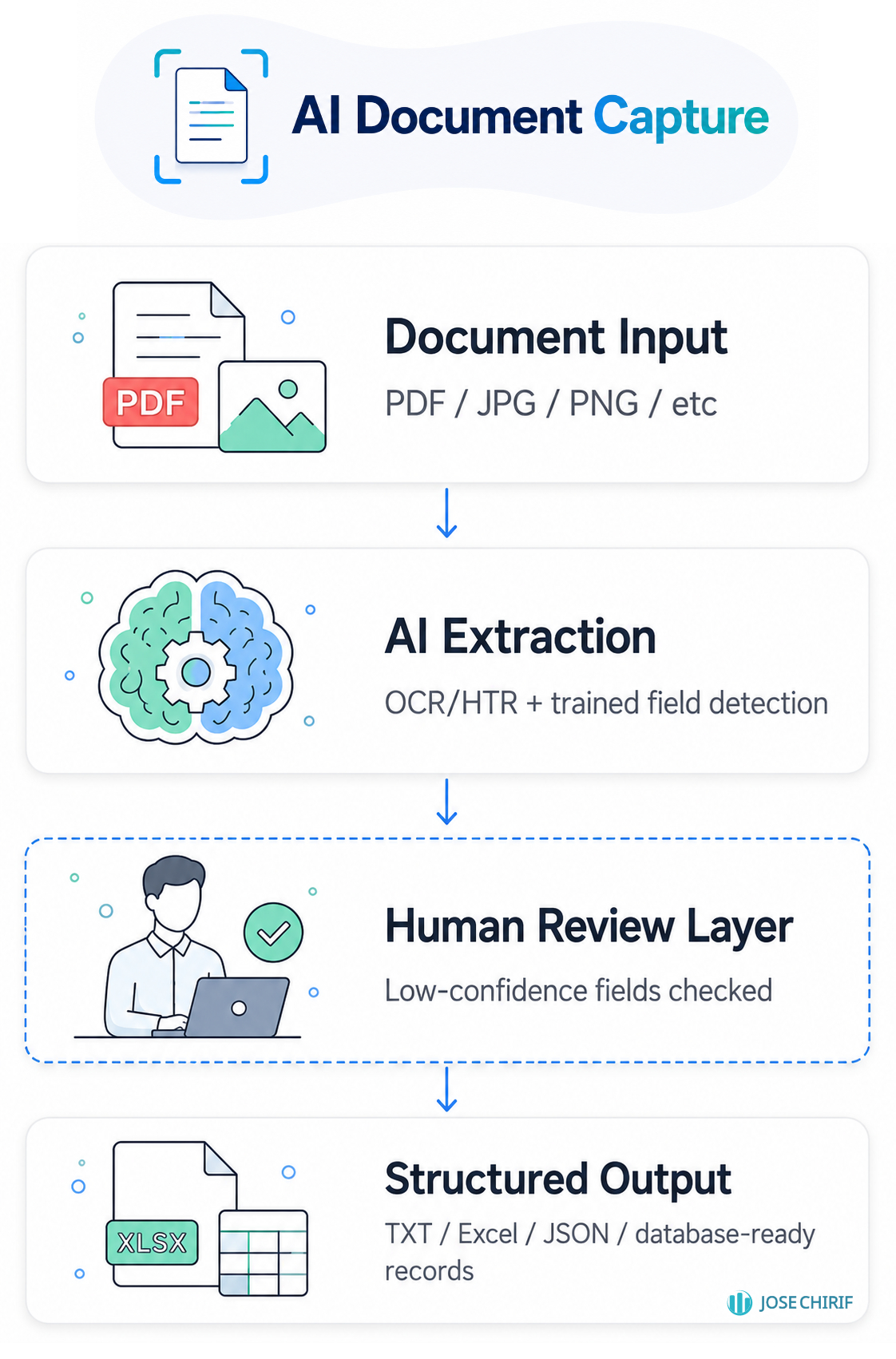
The system receives a document, improves its readability, extracts relevant fields, assigns confidence scores, and prepares the output for review or export.
Service Scope
The base service focuses on extracting information from scanned documents and delivering structured, usable outputs.
Base Service
- Document review and field definition
- OCR and HTR extraction from scanned files or images
- Field-level structuring and normalization
- Confidence scoring for extracted values
- Export to TXT, Excel, CSV, JSON, or formatted text
Customization
- Custom field schemas for each document type
- Mandatory human review before approval
- Direct insertion into a database after validation
- Document storage with traceability of original files
- Audit log of extracted and corrected fields
- Batch processing for large document volumes
Base Output
- Reviewed document fields exported as TXT, Excel, CSV, JSON, or formatted text.
Advanced Integration
- Validated fields inserted directly into a database, form, CRM, ERP, or internal workflow.
Use Cases
Designed for organizations that receive repetitive documents and need to convert them into reliable operational data.
Including:
- Forms and applications
- Invoices and purchase orders
- Contracts and administrative records
- Medical or laboratory documents
- Academic certificates or student files
- Legal, notarial, or real estate documents
Responsible Use
- Critical fields should be reviewed before operational use
- Performance depends on document quality and format consistency
- Low-confidence fields are flagged for human validation
- Original documents and corrections can be stored for auditability
- The system supports human work; it does not replace legal, medical, or expert review
Workflow Example
Example workflow showing how a scanned form can become reviewed, structured, and ready-to-store business data.
1. Scanned Form
A scanned document, image, or PDF is received as the input source. The form may contain printed text, filled fields, IDs, dates, names, amounts, or other business-specific information.
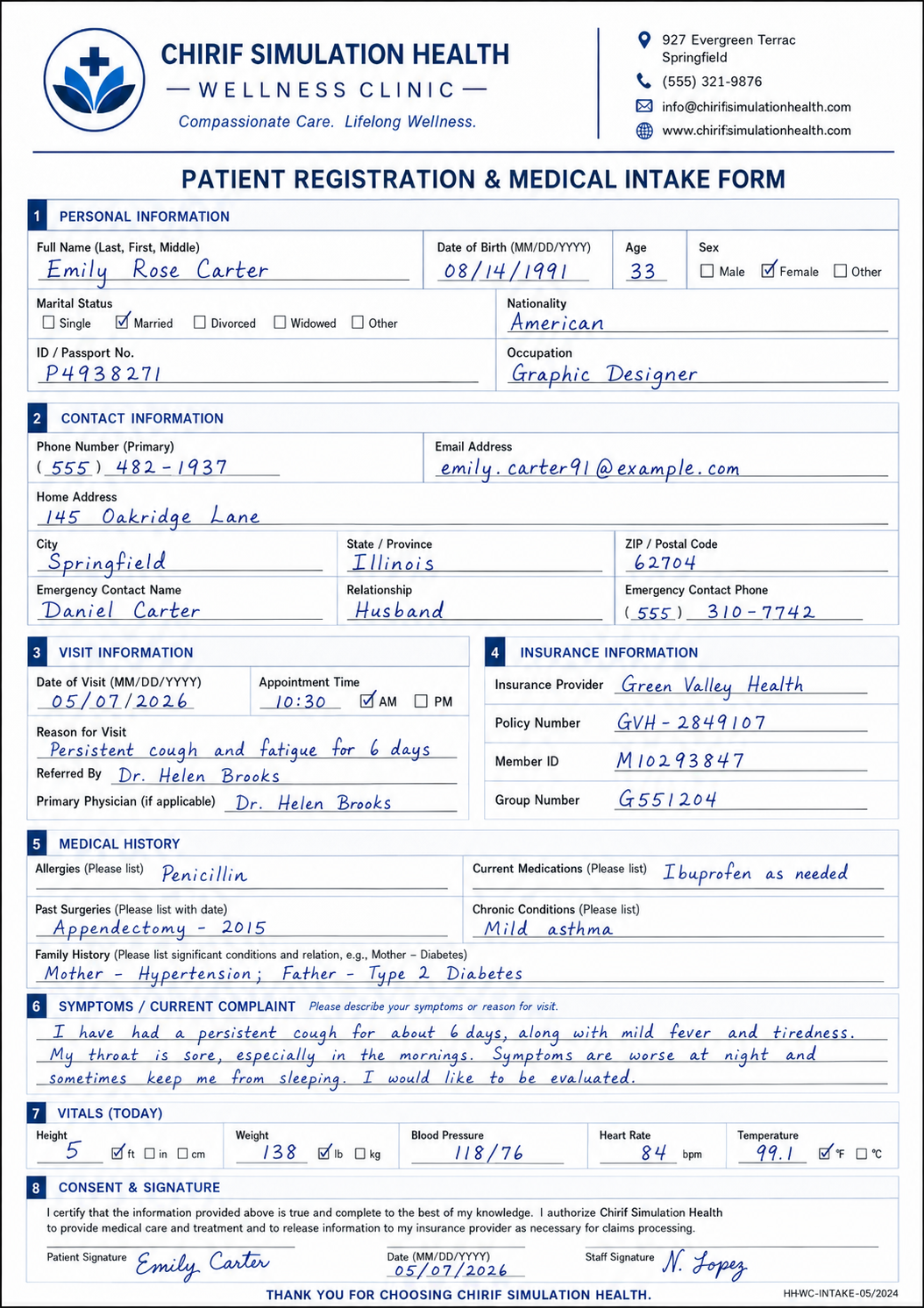
AI-generated reference image for illustrative purposes.
2. Review Software
The system extracts the required fields and presents them in a review interface. Low-confidence values can be checked, corrected, or approved before the data is used operationally.
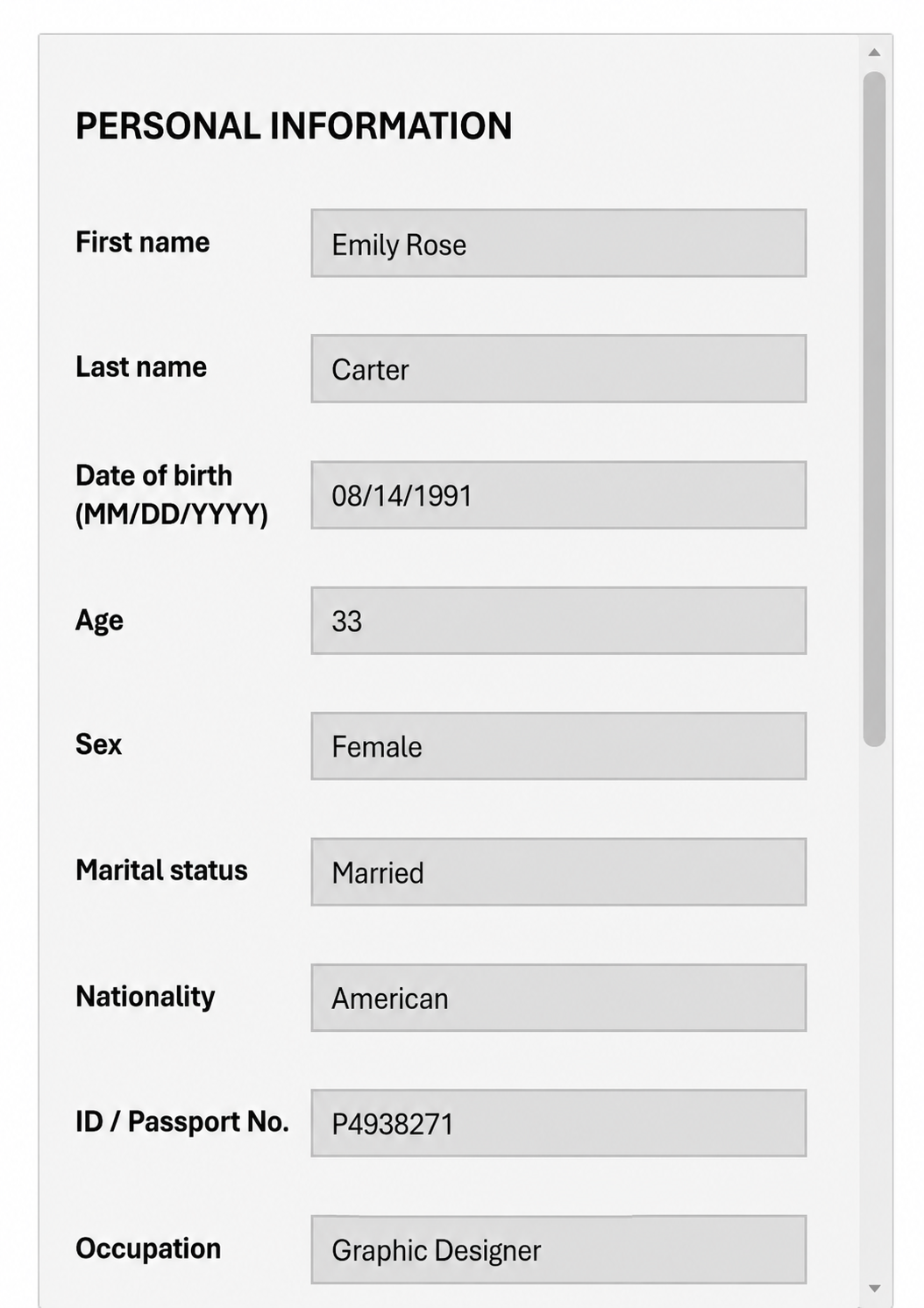
AI-generated reference image for illustrative purposes.
3. Structured Output
Once reviewed, the validated fields can be exported or inserted into the target workflow, such as a spreadsheet, database, internal system, CRM, ERP, or reporting pipeline.
Get Your Capture Flow
Share a sample document with the fields you need to extract, and I can propose a workflow for capture, review, validation, and structured output.